Physical Security Intelligence

Know Every Device
In Your Buildings

Security teams can't protect what they can't see. BrickSight scans your facilities with a smartphone to detect, identify, and locate every asset — including the rogue devices that network tools miss entirely.

100%
Asset visibility — including silent devices
60 min
Scan 2,000+ assets in a single walkthrough
$27B
CPS security market, growing to $59B by 2031
2018: Raspberry Pis hidden in bank offices, connected over LTE
2025: 4G modem attached to ATM network switch
2026: Wireless microphone planted in executive boardroom
How It Works

Scan. Detect. Secure.

Any security team member can run a complete asset scan with just a smartphone — no specialized equipment, no downtime.
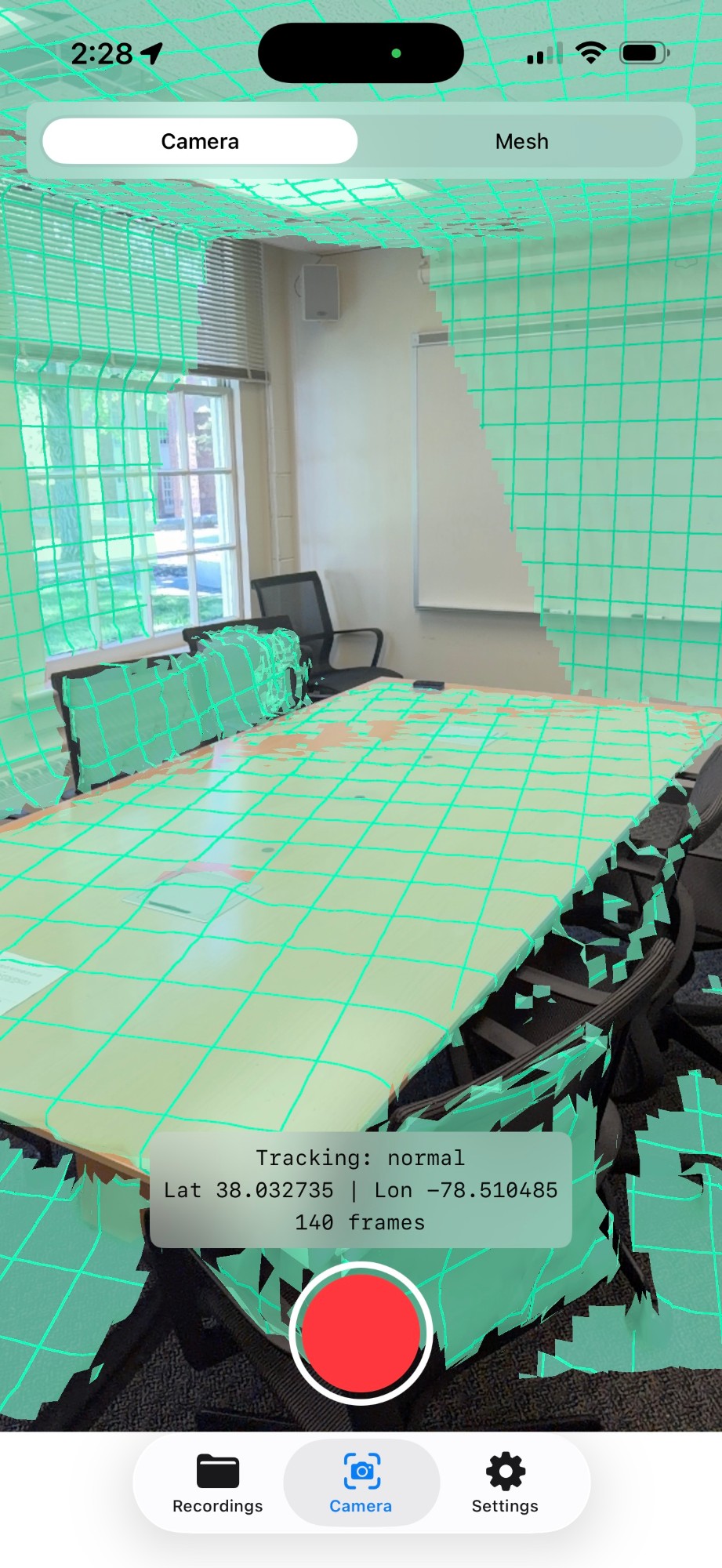
BrickSight LiDAR scan app on iPhone
01

Walk the Facility

Walk the floor with your smartphone. BrickSight uses the camera, LiDAR, and thermal sensor to continuously capture the physical environment — every shelf, rack, and closet.
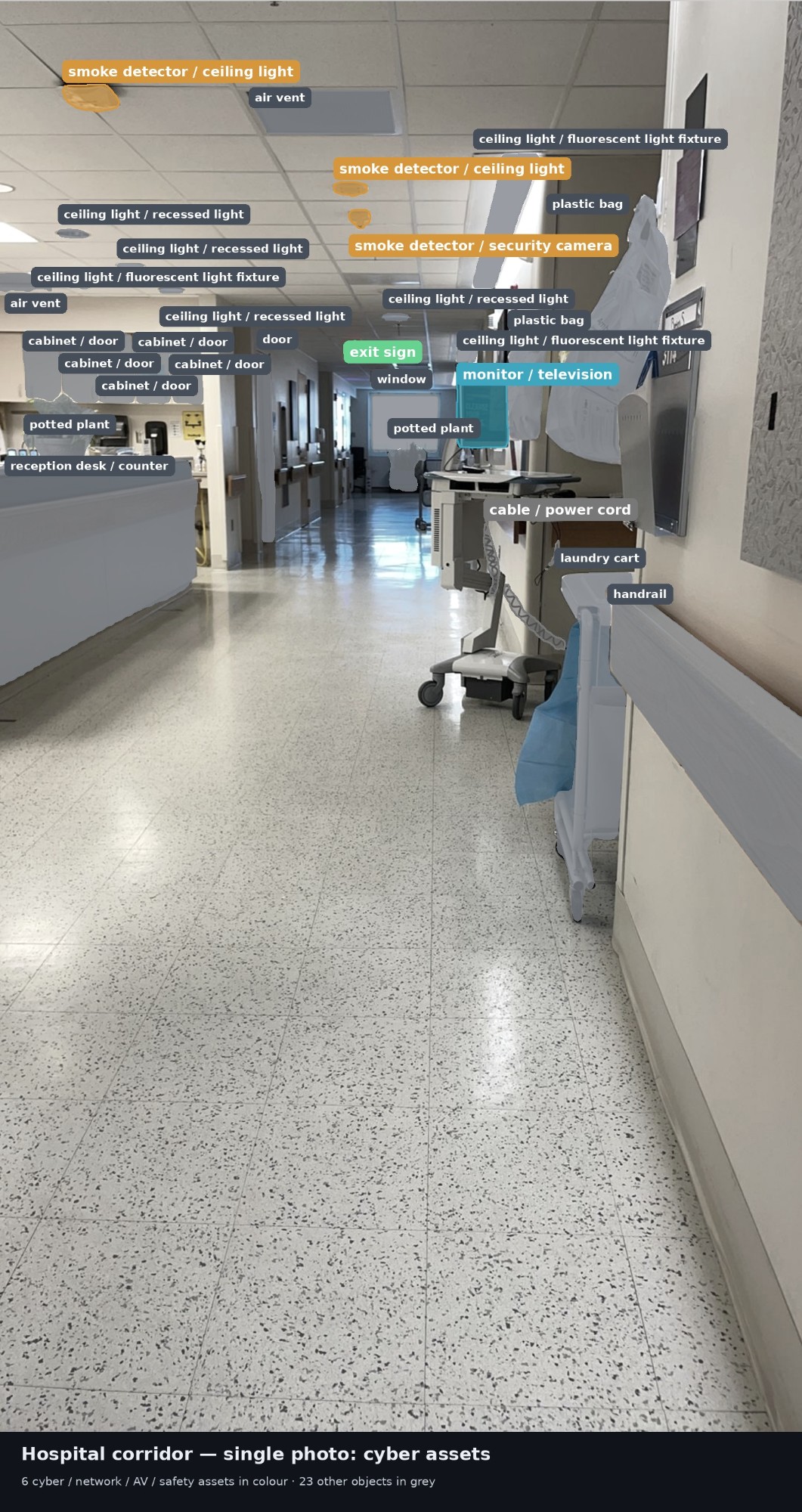
AI detection labels on hospital corridor assets
02

AI Detects Every Asset

Computer vision identifies and classifies every device in the frame — switches, cameras, laptops, badge readers, and anything unrecognized. Each asset is assigned precise 3D coordinates.
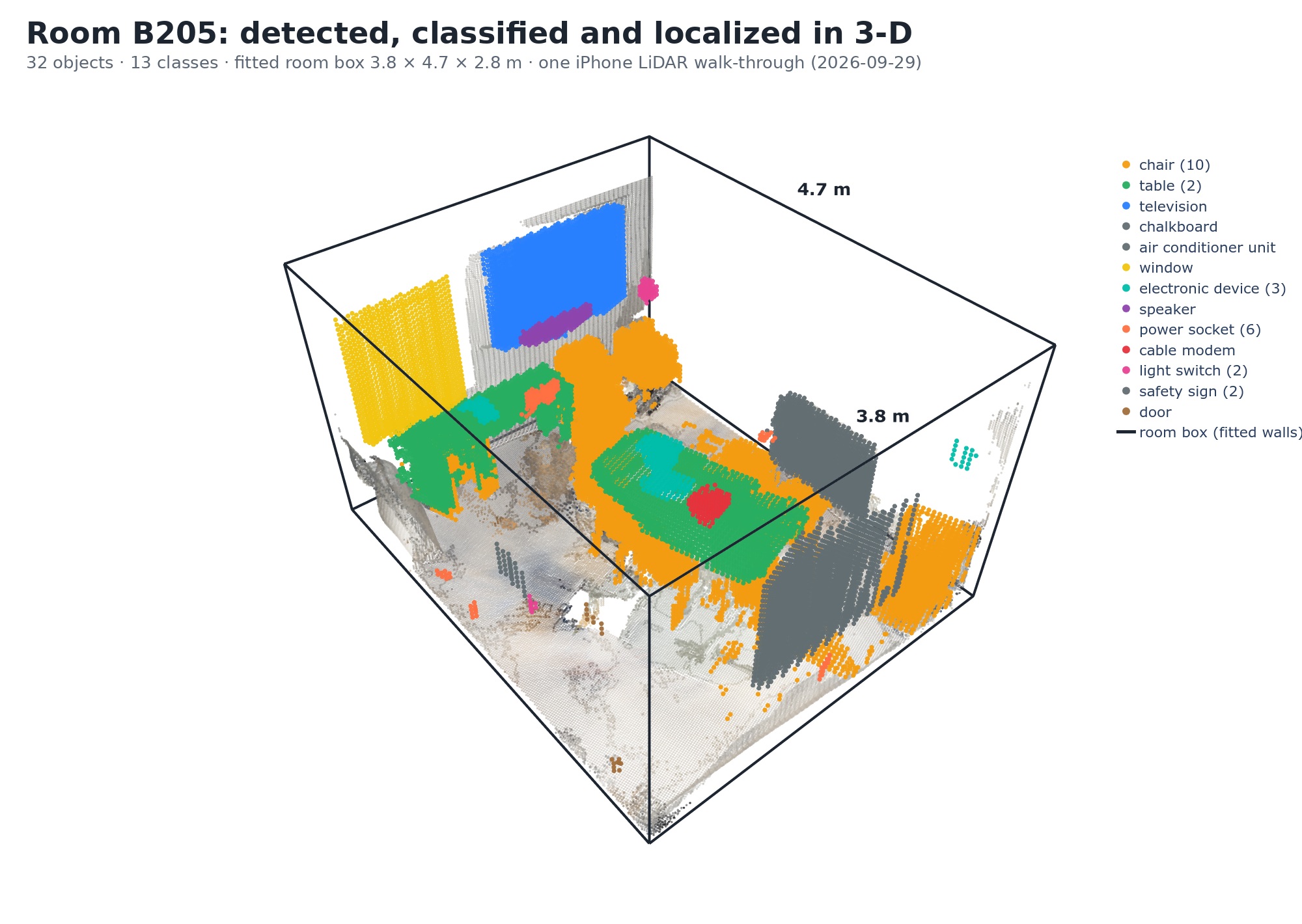
3D point cloud output of scanned room
03

Review and Act

New, moved, or missing devices are flagged immediately against your approved inventory. Your security team gets an actionable report — not a list, a verified threat assessment.
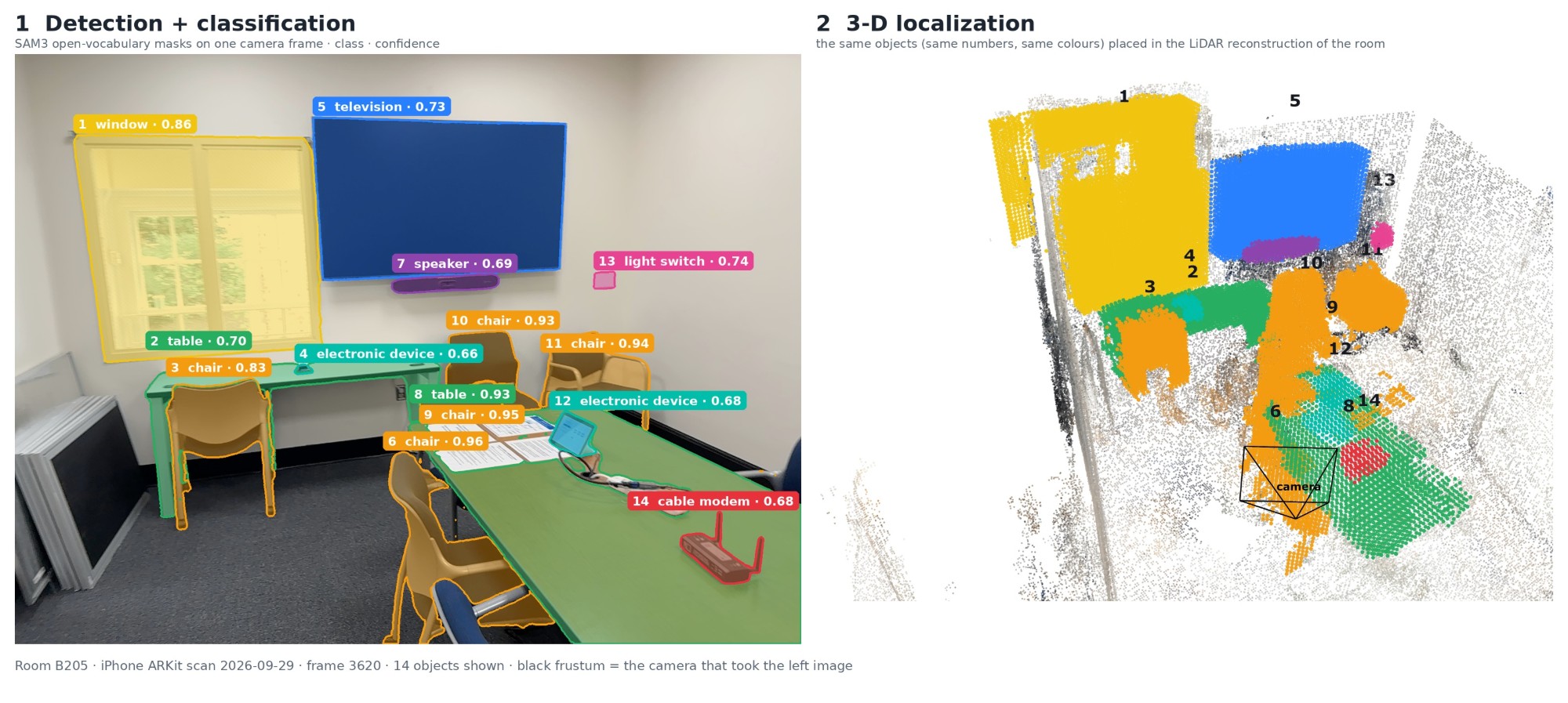
Real Output

Detected, classified, and placed in 3D

One iPhone walkthrough of Room B205. Every object labeled, segmented, and reconstructed in 3D point cloud space — ready for inventory comparison.

Side-by-side: AI detection with segmentation masks (left) and 3D LiDAR point cloud reconstruction (right) — Room B205
Room B205 14 objects detected 3 object classes Sub-meter 3D precision One iPhone walkthrough
Capabilities

Built for physical security teams

Network monitoring tools only see devices that talk. BrickSight finds the ones that don't.

Sees What Networks Miss

Devices on cellular, dormant hardware, and unplugged equipment are invisible to network scans. Physical scanning sees everything in the room — powered or not.

Rogue Device Detection

Every detected asset is checked against your approved device inventory. Unauthorized hardware — however small or hidden — is flagged for immediate security team review.

Precise 3D Location

Every asset is mapped to exact 3D coordinates within the building — room, floor, position. Security teams know not just what's there, but exactly where.

Physical Change Detection

Compare scans over time to flag devices that have moved, appeared, or vanished since the last inspection. Every physical change to your infrastructure is recorded and reviewed.

Thermal Activity Scan

Heat signatures reveal electronics hidden behind panels, inside furniture, or concealed within other equipment — active devices that remain visually undetectable.

Security Posture Reports

Full asset inventories with risk scoring, deviation summaries, and change history — formatted for security leadership, compliance audits, and CMMS integration.

Why Physical Scanning

The devices that don't talk are the ones you can't miss

Network monitoring sees 91.6% of devices at best. The remainder — the silent, dormant, and cellular-connected — is where the real threat hides.

  • Raspberry Pi with cellular modem, hidden behind a rack
  • Wireless microphone installed in a conference room
  • Dormant hardware with a cellular kill-switch
  • Legitimate devices impersonating known hardware on the network
  • Assets moved from approved locations without notification